Remini vs Topaz: Which AI Photo Enhancer Is Better?
Remini is primarily built for providing quick and efficient improvements in photos with the help of AI technology. Remini Mod APK offers a convenient way to explore Remini’s AI-powered photo enhancement features, while Topaz aims to provide enhanced image quality with greater control over enhancements. Thus, Remini is ideal for users who want quick and simple results, while Topaz fits those interested in more complex editing and professional workflows.
In this comparison, I will guide you through Remini vs Topaz and compare their features, image quality, processing speed, and user-friendliness.
Which Is Better, Remini vs Topaz?
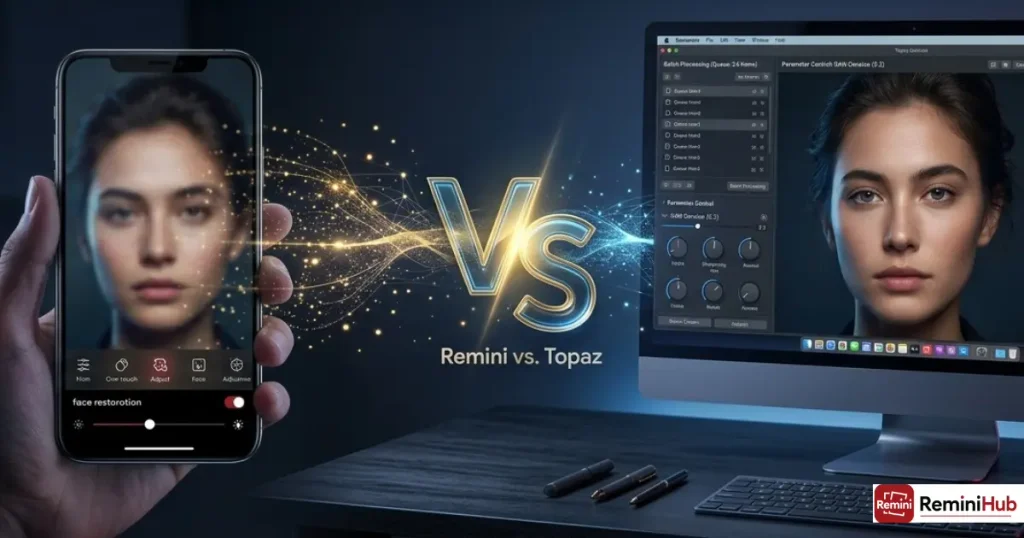
When it comes to Remini vs. Topaz, your choice depends on whether you need to get quick results or have to work with more professional workflows. Here is a comparison table showing how these two tools stack up against each other.
| Feature | Remini | Topaz (Photo/Gigapixel/Video) |
| Best for | Quick AI photo enhancement and restoration | Advanced image enhancement, upscaling, and video enhancement |
| Photo enhancement | One-tap AI enhancement focused on quick results | Advanced enhancement with multiple AI models and controls |
| Old photo restoration | Useful for restoring and enhancing old or low-quality photos | Strong restoration tools, including dust/scratch removal and face recovery |
| Face enhancement | Strong focus on improving facial details | Face recovery and enhancement tools are available in supported products |
| Image upscaling | Increases image quality and resolution | Dedicated upscaling through Topaz Gigapixel and other supported tools |
| Noise reduction | AI-based noise and quality enhancement | Dedicated denoise tools with more control over processing |
| Video enhancement | Supports AI-based video enhancement features | Dedicated Topaz Video provides advanced video enhancement workflows |
| Manual controls | Limited; designed mainly for quick automated results | More controls and AI models for users who want to fine-tune results |
| Ease of use | Simple and beginner-friendly | More advanced, with more settings and workflow options |
| Mobile availability | Available as a mobile app | Topaz also offers a mobile app, while other products are available through web or desktop |
| Desktop availability | Primarily mobile-focused | Desktop apps are available for Windows and macOS |
| Processing workflow | Upload or select a photo/video and apply AI enhancement | Choose a specific tool/model, adjust settings when needed, and process locally or through supported cloud workflows |
Which Is Better for Video Enhancement, Remini or Topaz?
Remini is preferred for fast improvement of videos on mobile devices while Topaz is more useful for complicated video modifying tasks on a personal computer. Therefore, the decision of the correct program hinges upon the element of ease of use or higher level of freedom in terms of quality of the videos processed.
Is Remini Good for Video Enhancement?
Although Remini is mostly about photo restoration and enhancement, it has additional features that allow users to enhance their videos. It is a great choice for mobile users looking for something quick and easy for video enhancement.
Is Topaz Better for Video Enhancement?
Topaz Video AI is meant for advanced desktop video enhancement. By providing proper tools for video quality enhancement, it gives users the ability to upscale video footage and reduce noise.
Remini or Topaz Which Has the Better Photo Quality?
Remini is great for quick photo improvements using AI while Topaz is more advanced with its features that are meant for photo improvement. The best option among these two depends on the photo that you wish to improve and how much control you wish over the entire process.
Which Is Better for Blurry Photos?
Remini has the ability to perform photo improvement using the automatic feature of AI. Topaz too boosts the clarity of the photo with the help of AI technology but it provides more control over photo improvement process
Which Is Better for Old Photos?
Remini is the best choice for old or damaged photos since it has the ability to restore them automatically with the help of AI. Topaz can restore damaged images by enhancing the details of the photo and reducing the noise.
Which Is Better for Low-Resolution Images?
Remini uses AI upscaling to improve any photos of low-quality, by enlarging the image more and creating the details that are missing. Topaz also uses AI upscaling to make low-resolution images larger while keeping the best possible details.
Which Is Better for Portraits?
Remini has a particular advantage in enhancing portraits and faces. It uses its AI capabilities to perform all processing functions automatically. Topaz can also be used to enhance portraits, but it allows users to take control of various parameters such as sharpening, noise reduction, etc.
Which Is Better for Professional Photo Enhancement?
It generally depends on the user’s individual situation. In terms of professional photo enhancement, Topaz is the best choice because it has more advanced options and controls. Remini, on the other hand, is the user-friendly choice.
Which Offers More Editing Controls, Remini or Topaz?
Remini is mainly an automated AI enhancer while Topaz has more advanced options for those who want more control over their editing process. Thus, the major distinction is between Remini’s convenience versus Topaz’s flexibility.
How Does Remini Handle Automatic Enhancement?
Remini utilizes fully automated AI image enhancement, which can make photos brighter, clearer, and more striking. Because of this, it is good for novices.
Does Remini Offer Manual Adjustments?
Remini has limited options for manual adjustments since the primary goal of Remini is to provide fast and automatic improvement to images. Nevertheless, the images can still benefit from the AI Filters and templates to achieve various looks and styles.
What AI Models and Enhancement Tools Does Topaz Offer?
Topaz has several AI-powered solutions and technologies that can help with all types of image processing. Users can apply tools for sharpening, noise reduction, and upscaling of images depending on the product, instead of relying on only one method of automatic processing.
Which Offers Better Sharpening and Noise Reduction?
Topaz has an advantage in image sharpening and noise removal because it offers more customizable options and possibilities. Remini, in contrast, requires less interaction from the user, thus simplifying the enhancement process.
Which Offers Better Upscaling and Customization?
Both products use AI technology to enhance image quality. However, Topaz may be more applicable to those who want tight control over the process of enhancement, while Remini is more aimed at people who want to get results quicker with less input on their part.
Which Processes Images Faster, Remini or Topaz?
The speed with which you can process images will be affected because Remini and Topaz use different techniques and processes that depend on the type of images, device, and the enhancement techniques that you choose. The image file’s size and complexity, processing methods, and hardware being used will determine the speed of processing the images.
How Fast Does Remini Process Images?
The time it takes to process an image via Remini will depend on the device you use as well as the image size and complexity of the processing. More complex or bigger images take more time to process while simple images can be processed quite quickly.
Typically, Remini is more suited for mobile-based processing and unlike Topaz image processing, it may require Internet or cloud-based processing depending on the version being used. The speed of processing of multiple images varies with time taken in processing based on the total number of images being processed and their file sizes.
How Fast Does Topaz Process Images?
Topaz processes images with the help of desktop workflows, where processing speeds are affected by the hardware of the computer, size of the file, image complexity, and AI model in use. More complex enhancement and upscaling processes tend to require much more time.
Topaz also offers batch processing options in relevant products and workflows, which can be useful in case there’s a need to enhance various images.
Which Is Faster, Remini or Topaz?
There is no clear winner between the two processing speeds. Remini may serve well in the case of a mobile enhancement as it has convenient mobile apps, while Topaz works better in case of a good desktop machine, although actual speed largely depends on the image type, hardware capabilities, and customization settings for enhancement.
Which Is Easier to Use, Remini or Topaz?
While Remini emphasizes automation and ease, Topaz has advanced features for experienced users. Thus, the ease of use of the two applications depends on how they are used manually.
Is Remini Easier for Beginners?
Remini has a simple and intuitive interface suitable for various users. Its automatic tools for photo enhancement and restoration make it easier for less experienced users to modify their photos with little manual intervention.
Is Topaz Beginner-Friendly?
Topaz comes with a simple interface that even inexperienced users can use; however, due to the many tools and enhancing features, it may be a bit difficult for newbies to get accustomed to the program. Topaz users can make use of auto settings, while more experienced users can experiment with different parameters.
Pros And Cons Of Remini
PROS
- It has manageable features thanks to the streamlined and straightforward design of the interface.
- The AI-based algorithms minimize our intervention and automate our picture restoration processes.
- It can scale up to 5 times the picture’s original size.
CONS
- While the automatic restoration saves time and effort, it is not flexible for those who want to make their tweaks and modifications.
If Remini’s limited manual controls are a dealbreaker for you, it’s worth exploring apps like Remini to find other AI photo enhancers with more flexibility and editing options.
Pros And Cons Of Topaz
PROS
- Excellent output quality for advanced desktop-based enhancements.
- Advanced filters, effects, and upscaling.
- Can scale up to 16× image size.
CONS
- Slight learning curve for beginners.
- More suitable for professional use.
How Do Remini and Topaz Compare in Real-World Results?
- Remini: Strong for old, blurry, damaged, and portrait photographs
- Topaz: Strong for improving images, making them larger, sharpening them up, and recovering them.
- Remini output: Processed automatically with little manual intervention
- Topaz output: Allows more control over the outcomes
- Image quality: Results depend on the original pictures, degree of damage and tools used
- Best for fast results: Remini
- Best for detail: Topaz
- Best for professional work: Topaz
- Best for easy enhancement on smartphone: Remini
Is Remini More Affordable Than Topaz?
Remini provides both free and paid options, while Topaz implements various paid pricing ranges based on the tool or feature required by the user. The choice of the better value service depends on whether the client aims at simply enhancing photos or videos or adopting more complicated solutions.
Is it Possible to Use Remini and Topaz Together?
Certainly, Remini and Topaz can work together, as the processing of images using Remini is accomplished first before using Topaz for additional processing. This is very convenient for users who require simple enhancements using Remini as well as those who wish to take advantage of the advanced technology utilized by Topaz.
Where Can You Use Remini and Topaz?
Remini can be used on multiple platforms such as Android, iOS and the web as it provides convenient options for users. Topaz can be operated on Windows and macOS based applications along with web and mobile options depending on the specific product category.
Which AI Photo Enhancer Should You Choose?
Opt for Remini if fast and easy AI enhancement and photo restoration matters to you, particularly on mobile devices. If you are looking for a quality enhancement tool for desktop use with higher technical specifications and more options for the final product, you will prefer Topaz.