Remini vs Lightroom: Which Photo Editing App Is Better?
Remini is the best for AI enhancements, blurry image corrections, portrait enhancement, and old photo restoration. Meanwhile, Lightroom is good for professional editing, color corrections, RAW photo processing, and detailed manual editing. This Remini vs Lightroom comparison can help you pick a better option based on whether your requirements call for fast AI enhancements or professional editing.
Remini and Lightroom offer different photo editing functionalities. Remini Mod APK provides AI-based enhancement, while Lightroom APK Mod Premium offers manual editing functionalities for those who want to control their editing process. This article looks at their features, editing processes, ease of use, and other functionalities so that you can pick the right app.
What Is Remini Used For?
Remini can be defined as an AI-powered photo enhancement software that improves the quality of images on an automatic basis. In addition, it can correct blurriness and sharpen images, repair antique photographs, upgrade portraits, and make low-res images clearer.
While Lightroom requires users to alter colors as well as exposure on their own, Remini utilizes artificial intelligence for most upgrades with the help of advanced technology. If you want to explore more about its features and capabilities, Remini Mod APK provides a detailed overview.
What Is Lightroom Used For?
Lightroom is an image-editing app made by Adobe that provides users with advanced control over the editing process. With the help of the software, users can modify such image characteristics as exposure, color, illumination, saturation, and so on. In addition, it also allows the user to work with RAW files, apply various filters, and use advanced tools.
Despite the product’s precision, its numerous controls may be too sophisticated for inexperienced users. Its interface has been designed for users who want accurate and consistent editing of their images.
Remini vs Lightroom
Remini and Lightroom have varied methodologies involved in photo editing. The table below outlines the differences in their key characteristics and features in an easy manner.
| Feature | Remini | Lightroom |
| Main Purpose | AI photo enhancement and restoration | Professional photo editing and customization |
| Editing Style | AI-powered, automatic enhancements | Manual editing with detailed control |
| AI Enhancement | Strong AI-based enhancement | AI features available, but manual editing remains important |
| Ease of Use | Beginner-friendly and simple | More complex, with a wider range of tools |
| Blurry Photos | Strong for reducing blur and improving clarity | Can improve images through manual adjustments |
| Old Photos | Strong for restoring old and damaged-looking photos | Requires more manual editing |
| Portraits | Automatic enhancement for faces and portraits | Detailed control over portrait adjustments |
| Low-Resolution Images | Designed to improve clarity and detail | Can enhance images through editing and sharpening tools |
| Manual Control | Limited | Extensive |
| Color Correction | Basic and automatic | Advanced control over color and tones |
| Exposure & Contrast | Automatic or limited adjustments | Detailed control over exposure, contrast, highlights, shadows, and more |
| RAW Editing | Not its main strength | Strong RAW editing capabilities |
| Presets | Limited compared with Lightroom | Extensive preset support |
| Speed & Automation | Fast, automatic results | More time-consuming when making detailed manual edits |
| Output Quality | Strong for AI-enhanced and low-quality images | High-quality results with detailed customization |
| Best For | Quick enhancement, blurry/old photos, portraits, and casual users | Professional editing, RAW photos, color correction, and detailed workflows |
How Do Remini and Lightroom Compare for Different Editing Needs?
Remini and Lightroom are designed for different photo editing needs, with each app offering advantages in specific situations. The following sections compare their strengths based on enhancement, editing control, ease of use, and common photo editing tasks.
Which App Is Better for AI Photo Enhancement?
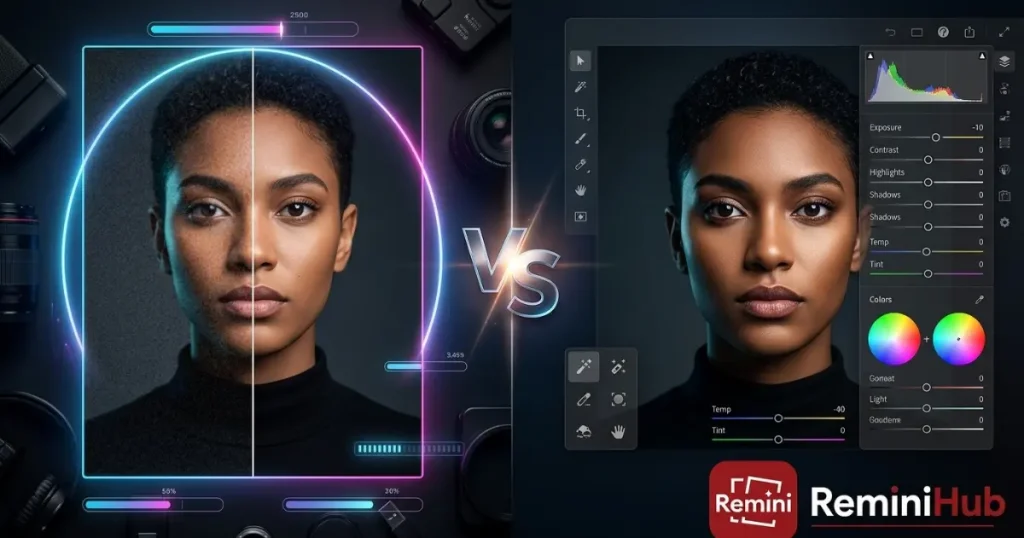
Among the two applications available today, Remini is the preferable one because it fulfills its purpose of AI photo enhancement exceptionally well. In particular, Remini works well at enhancing faces and their characteristics, as well as improving the sharpness of a blurred or poorly taken photo, with minimal involvement from the user.
Remini successfully works with photos of faces and enhances their quality, which makes it a good choice for users who want to make their selfies or old family photographs better. However, it cannot provide perfect results if a face image is blurry or is not clearly visible because the user still has to put some effort into its correction. Lightroom offers editing tools as well but gives the user the possibility to fine-tune the result on his/her own.
If you’re looking for other tools with similar AI-powered features, check out our guide to Apps Like Remini to compare alternative photo enhancement apps.
Which App Is Better for Professional Photo Editing?
Lightroom is the most suitable for meticulous as well as professional editing. It provides the ability to be in control when adjusting exposure, brightness, shadows, colors, as well as white balance, thereby making it perfect.
Moreover, Lightroom enables the use of mask layouts and RAW editing, thus making it possible for photographers to alter the specific encoding without affecting the integrity of the original image. Due to the described benefits, Lightroom is the preferred choice in those situations when precision is of great importance.
Which App Is Better for Old and Blurry Photos?
When it comes to choosing an app to enhance old and blurry photos, Remini tends to come out on top in most aspects. Thanks to its AI technology, the app is capable of improving the small details of an old photo without requiring too much input from users.
When using Lightroom, users can choose among numerous ways to enhance a photo, which include sharpening, adjusting the exposure, correcting the color, and many other means. However, while giving you more options to manipulate the photo, Lightroom also means implementing more complicated processes in shaping the final image.
Which App Is Better for Portraits?
Remini has become popular for those who want to make improvements to portraits fast, particularly when they need to improve fine facial features along with clarity automatically. The application supports the enhancement of facial features, skin effects, light, and color with little manual tweaking.
Lightroom is surely good for professional portrait editing when the desire is to have precise lighting, skin, color processes, and other elements of an image. Although much work has to be done manually, the advantage is that the customer has more control over the final result. Remini is better suited for fast portrait enhancement, while Lightroom is great for more detailed changes.
Which App Is Easier for Beginners?
The advantage of Remini is that it is easy to use for those who have only started to edit photos because its operation is more automatic in comparison to that of Lightroom, which offers a variety of control instruments.
Which App Gives You More Editing Control?
By utilizing the Lightroom app, the final product can be changed more manually. Lightroom gives its users the ability to control aspects of the photo, such as exposure, contrast, shadows, highlights, white balance, etc. Therefore, it is much more useful if a particular effect is to be achieved with the photo.
On the other hand, Remini is an easier app to use but offers less control over its parameters due to its fully automatic style of editing.
When Should You Use Remini?
Remini is the perfect tool when you need AI-powered photo enhancement without manual effort. Whether you have blurry, old, or low-resolution images, Remini can instantly improve their quality. Here’s when you should use it:
- portraits
- blurry photos
- old photos
- low-resolution images
- quick AI enhancement
When Should You Use Lightroom?
Lightroom is the go-to tool for professional photo editing when you need complete control over adjustments. It is designed for photographers who want to enhance images manually with precision. Here’s when you should use it:
- detailed control
- professional editing
- color correction
- exposure adjustments
- RAW editing
What Are the Pros and Cons of Remini and Lightroom?
Remini Pros
- AI-powered enhancement
- Easy to use
- Quick processing
- Useful for old/blurry photos
- Beginner-friendly
Remini Cons
- Less manual control
- AI results can vary
- Some features require payment.
Lightroom Pros
- Extensive manual control
- Advanced color editing
- RAW workflow
- Professional tools
- Presets and advanced adjustments
Lightroom Cons
- Steeper learning curve
- More time required for detailed editing
- Some features require a paid plan.
Which App Should You Choose: Remini or Lightroom?
Remini is the best choice for people who desire fast and automatic enhancement of blurry, old, low-quality, and/or portrait photos. Choose Lightroom instead if you need professional editing, advanced color grading, RAW processing, or manual editing. Each of these programs possesses different advantages, so your choice will come down to the type of edits you plan to carry out.